What it does
One site. Four ways to change it.
Your site is a single declarative spec — content types, pages, logic, access, integrations. Every surface below edits that same artifact, so they cannot disagree with each other, and one history covers all of them.
For the person who owns the business
Forms, not fields-in-a-database
Content types and entries with real validation, generated from what the site actually declares. A required box left empty is refused, not saved blank.
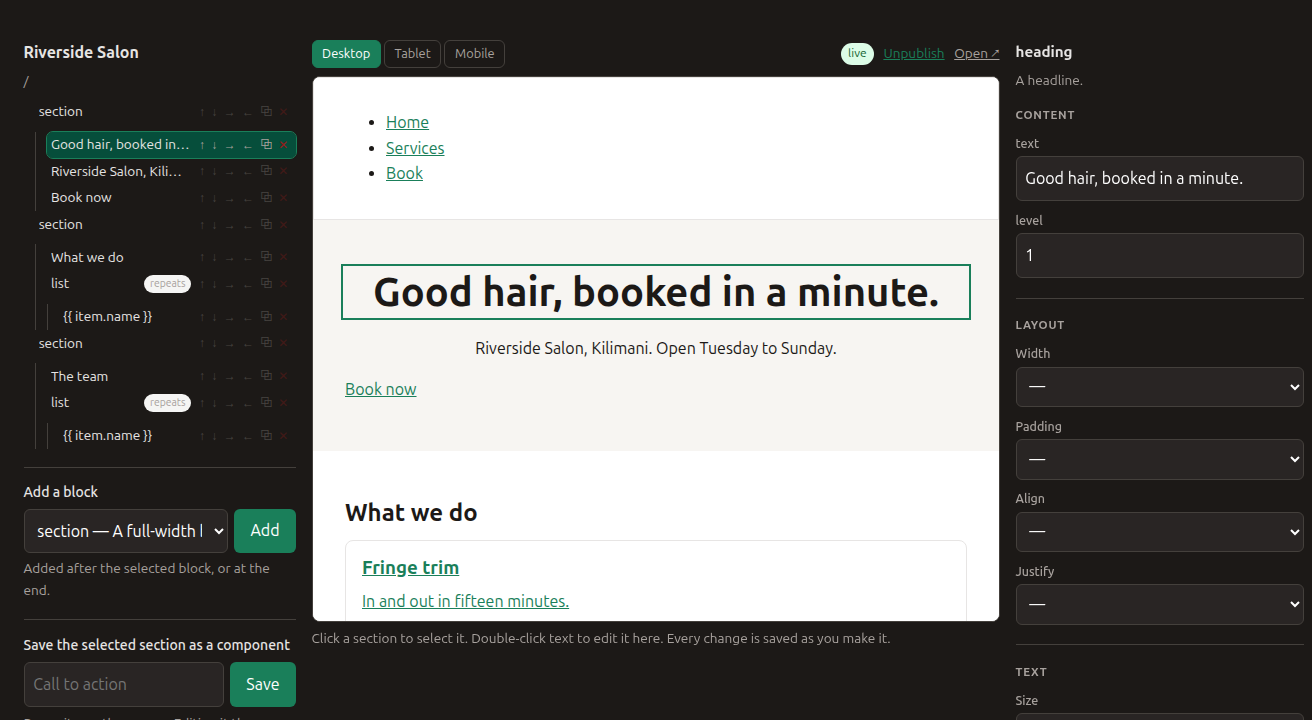
A canvas that edits the real page
The editor shows your actual rendered page — same styles, same layout — and you move, nest, duplicate and restyle sections in it. There is no "preview" that disagrees with the live site.
An assistant that asks first
Describe the change in words. It proposes; you see exactly what would change, in plain language; you decide. Nothing is applied because a model thought it should be.
Undo that actually undoes
Every change is stored with its inverse — from a form, the canvas, the command line or the assistant. One list, newest first, with an undo button.
For whoever builds it
The site is a directory of files
Readable YAML under version control. fcms plan shows what a change
would do, fcms apply does it, and destructive changes need
--yes.
An MCP server, so agents can drive it
Ten tools over the same API the CLI uses. No write_file, no SQL — the
tool list is the safety model, and it is ten lines long.
Migrations you did not write
Change a content type and the schema change is planned, classified and applied on boot. Destructive steps refuse to run unless someone confirmed them.
SEO that is structural
Server-rendered pages, clean URLs, a sitemap that maintains itself, and an automatic 301 when a page moves — because the old address is recorded in the change.
For a business that takes bookings
Search by date, or by what is near
Availability is computed, not stored: appointment slots from working hours, or which rooms are free for every night between two dates. Add a location to something and a listing can sort by how close it is.
A journey, one step at a time
Pick a service, pick a person, pick a time, give your details. The steps are declared; what somebody chose is remembered on the server, and changing an earlier answer forgets the ones that depended on it.
Take a deposit
The amount is worked out from your own prices, on the server — never from the form. Cash or card at the counter needs no account at all; M-Pesa is built and waiting on a shortcode.
Automations that run
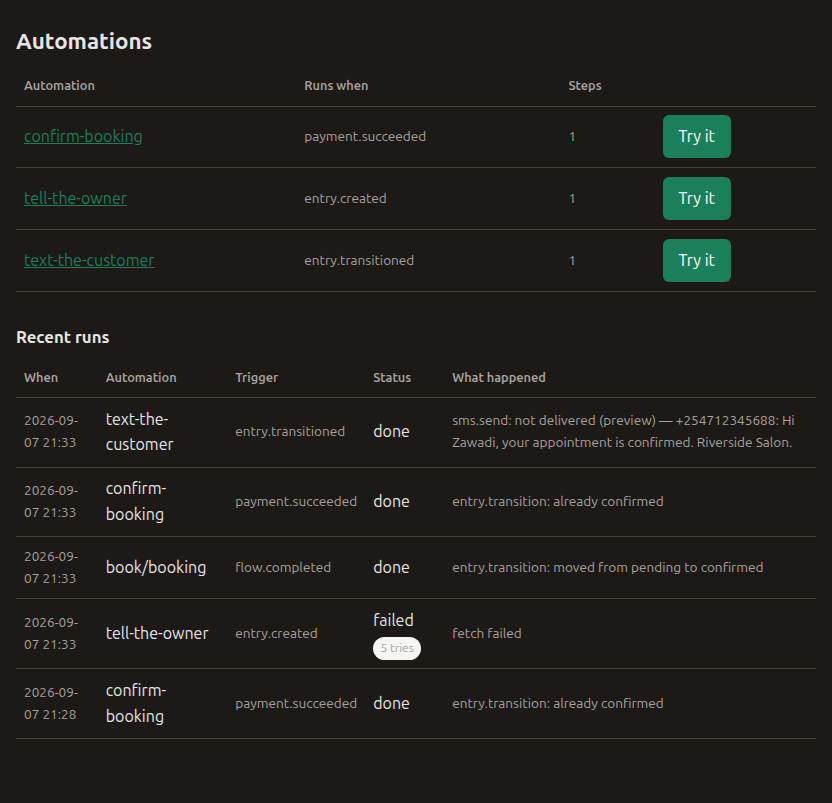
Confirm the booking when the deposit lands, text the customer when it is confirmed, post enquiries to your chat at nine. Try one before it is real, and read every run afterwards — including the ones that failed and why.
For the people who visit
A site can give its own visitors accounts — separate from the people who run it, scoped to that one site, and unable to touch the site itself. They can sign up, sign in, keep the things they are interested in, and see their own bookings — which nobody else can, including other visitors.
What it will not do
Worth saying plainly, because the alternative is discovering it after you have moved in:
| Arbitrary code in a page | Pages are structured blocks, not templates with logic in them. That limit is what makes the canvas, the assistant and the migrations possible at once. |
| Per-pixel layout | Spacing, colour and size are token choices, not free numbers — so restyling the brand still changes everything at once. |
| A plugin marketplace | Not yet. A plugin contract exists and plugins mount onto the registries core already has — but installing one is a dependency and a deploy, reviewed, rather than a button. There will be no install-from-the-internet button until the isolation behind it is real. |
| Card payments, or a verified M-Pesa | M-Pesa and the messaging providers are written against their documented APIs and have never been run against a live account. The product says so where you would use them. Taking payment at the counter works today and needs no account. |